
Quick start with Motiff AI
Motiff AI is the best UI generator—built to help you create, iterate, and deliver UI designs faster.
It transforms PRDs, wireframes, screenshots, code snippets, and more into layouts you can change and iterate on, freeing you from repetitive work and accelerating your creative flow.
AI Generates UI: Quickly generate a set of high-fidelity interfaces
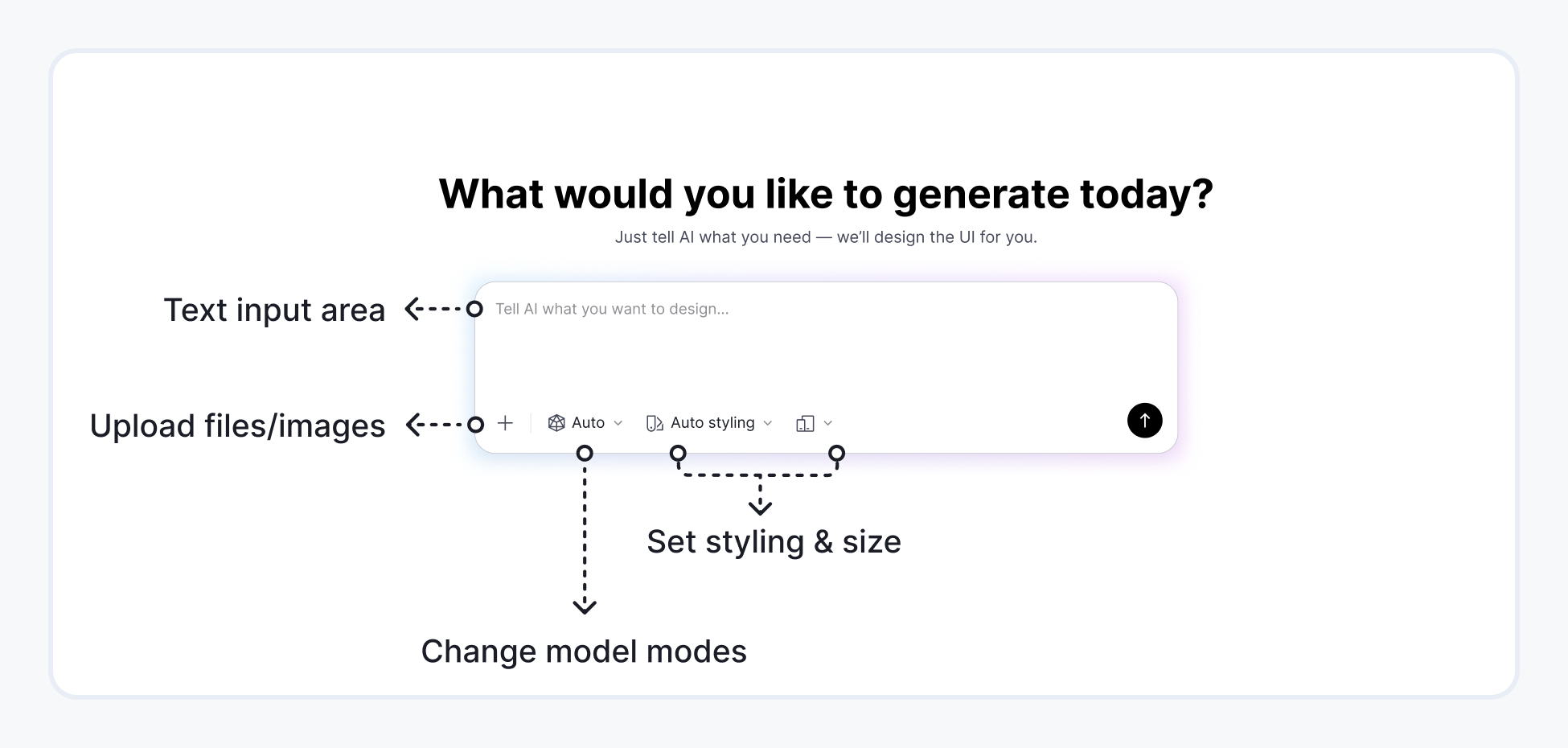
Supported inputs
- Text prompts – describe your ideas
- Images – JPG / PNG / WebP / SVG as visual references
- Canvas layers – select layers as direct inputs
- Files –
.txt,.html,.pdf,.json,.md
Styling presets
Motiff AI offers multiple built-in styling options for web and mobile:
- Auto styling – unconstrained, free creative output
- Minimalist styling – clean, modern aesthetics focused on clarity
- Material Design – customizable Google-based system
- Ant Design – enterprise-grade, highly structured components
- shadcn/ui – clean, contemporary visuals for modern web apps
These presets ensure consistency while giving you diverse starting points.
Model modes
Choose the mode that best fits your workflow:
| Avg. Task Time | ||
|---|---|---|
| Auto | Automatically picks the best model. | ~3 minutes |
| Gemini 3 pro - Preview | Complex logic and detailed Ul generation. | 3-5 minutes |
| Claude Sonnet 4.5 | High creativity and nuance. | 2-3 minutes |
| Gemini 2.5 Flash | Rapid ideation, fast layout drafts. | ~1 minute |
AI Refines UI: Iterate existing designs
Motiff AI lets you refine existing designs effortlessly. Select a layer → describe the change → receive updated layout options instantly.

Export design: From concepts to production-ready outputs
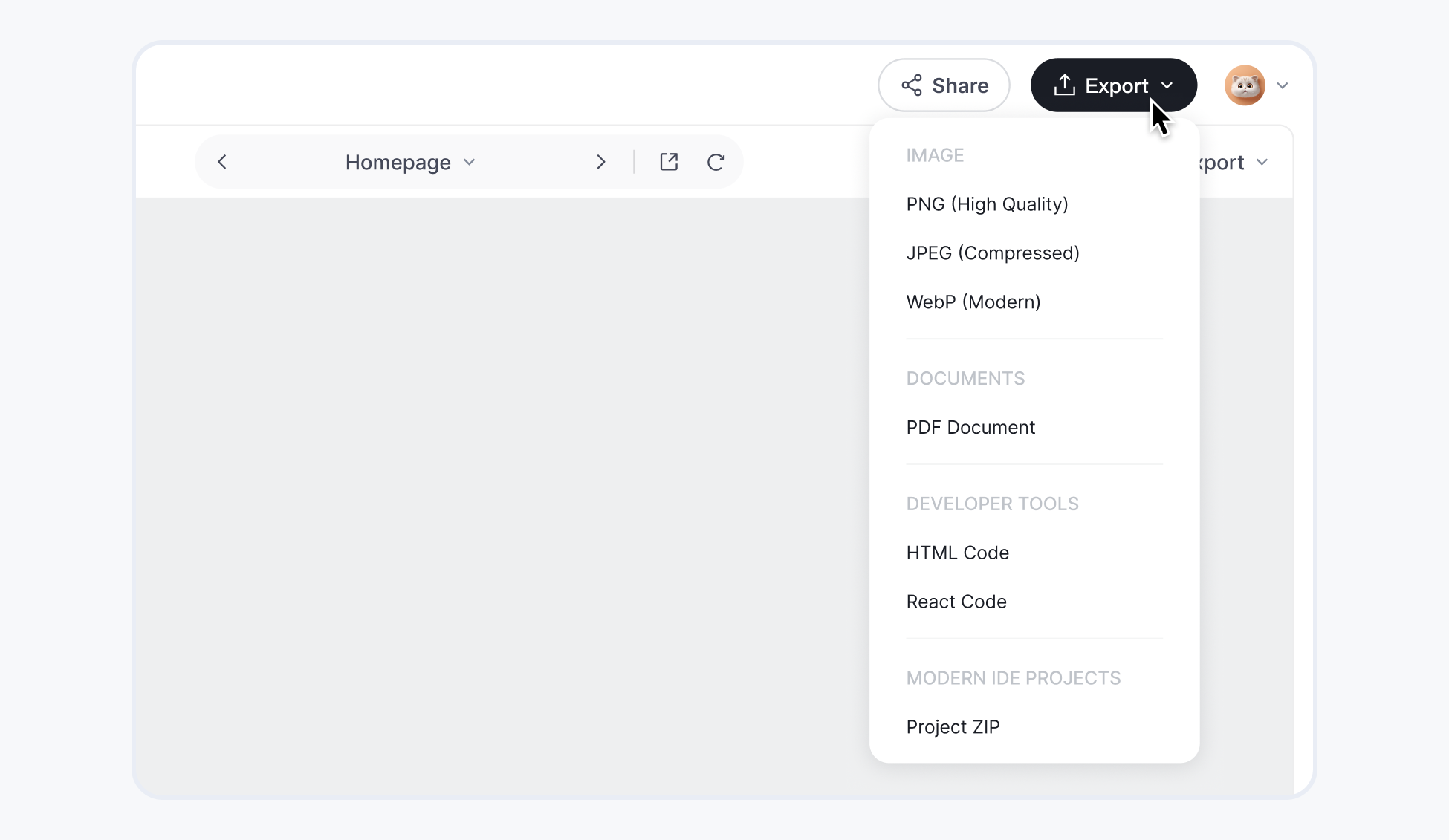
Motiff AI supports multiple export formats to fit your workflow:
- Images – PNG, JPEG, WebP
- Code – HTML, React
- IDE-ready ZIP – full front-end starter project
This enables a seamless handoff from design to development.
Additional AI Capabilities
Motiff AI also supports additional AI-powered functions to accelerate your workflow:
- Analyze designs: Motiff AI can review your design from UX, visual hierarchy, color, etc. and provide structured suggestions.
- Extract content: Motiff AI can recognize and extract text from images or screenshots, helping you quickly process design assets.
There are more AI capabilities — ready for you to explore…
FAQs
What if my task fails?
In most cases, it is just a temporary issue caused by resource congestion or abnormal requests. You can enter the prompts again and it usually works. If the task still fails after multiple retries or if the results deviate too much from expectations, you can contact the Motiff AI team at service@motiff.com. Or, you can join the Motiff Community to chat with us.
Does Motiff AI offer an API for AI Generats UI?
Yes. Motiff AI provides programmatic access to our AI Generats UI capabilities. If you are interested in API access or enterprise integration, please contact us at service@motiff.com and our team will follow up with the next steps.
How does Motiff AI use my AI data?
Motiff AI will never use, store, or review any data or outputs generated through paid credits for model training, algorithm optimization, or any purpose beyond delivering your requested service.